
AI phone assistant for pizzerias · Takeaway or delivery
The phone assistant that takes the orders for your pizzeria, even in the middle of the rush.
MAIA answers every call. It takes the order item by item, gives a pickup time based on your oven’s capacity and records it in your dashboard. Hours, payment, delivery, languages, voice: everything is set to the way you work. You stay at the oven.
No credit card · No commitment · You keep your number
Example · fictional data
Pickup19:30
No. 42 · 3 pizzas
- 1×Regina (+ burrata)
- 1×Regina
- 1×Diavola [well done]
- 1×Tagliatelle carbonaraNo oven
06 •• •• •• 12To do
01A real call
Listen to a real order call, from hello to pickup
A little over a minute. Two Regina pizzas, a Margherita with extra parmesan, pickup at 20:00. Start the call and follow the transcript.
A real recording, not re-enacted. The number is masked.
The call is in French. The transcript below is a translation.
- 1The call comes inMAIA answers, day and night.
- 2The conversation happensYou hear the real voice, and the transcript follows along.
- 3The work is doneWhatever the call produced is waiting in your dashboard.
The transcript will run here, in step with the conversation.
Real recording, in French, of a call to MAIA Pizza, our demonstration restaurant. The contact details given by the customer are fictional. On your line, it introduces itself as an automated assistant.
The same assistant, set to your menu and the way you work.
02The rush
A Friday night at the counter, minute by minute
Illustration. Fictional times, numbers and items.
The phone rings. Your hands are in the dough. MAIA answers.
Two Regina pizzas, one with burrata, a Diavola well done and a carbonara. Before moving on, it asks which pasta.
Another customer calls at the same moment. It takes that call too.
The customer wants 19:15. Your oven is already full for that slot. It offers 19:30. The customer accepts.
A single recap, then it gives the order number: 42. The order is recorded, with no retyping.
Without payment by SMS, it shows as “to do” in your dashboard. If you have switched it on, the customer receives a link on hanging up, and the order only shows there as “to do” once paid.
Service is over. The phone is still ringing. Depending on your settings, it takes the order, or it gives your opening hours and your address.
03The order
Phone order taking, item by item
In the noise of service, a question gets forgotten. It asks it every time, and only confirms an item once it has the details you have made mandatory.
Examples, to be set to your menu
- Pizzas
- Sizes, bases, cooking, extras: those on your menu. Cream or tomato base, well done, no onions.
- Pasta
- The type of pasta, asked before confirming.
- Meat
- Cooking and sauce, before confirming.
- Salads, desserts, drinks, children’s menus
- Noted as they appear on your menu.
- Alcohol
- If you wish, it reminds the customer to bring proof of identity.
- Off the menu
- Politely declined: it only offers what is on your menu.
- Out of stock
- Flagged straight away, with an available alternative.
- Delivery
- If you deliver: it takes the address and checks that it is within your area.
- Customer
- Order number given to the customer, or name and phone number: your choice.
Example · fictional data
Pickup19:30
No. 42 · 3 pizzas
- 1×Regina (+ burrata)
- 1×Regina
- 1×Diavola [well done]1
- 1×Tagliatelle carbonara2No oven
06 •• •• •• 12To do
- 1detail noted on the line
- 2type of pasta asked before confirming
At the end of the call
A single read-back, at the recap. Then the order arrives in your service schedule, with no retyping, with its number or the customer’s name, depending on your setting. With payment by SMS, it only arrives there once paid. If the customer asks for the price, it adds it up from your menu.
How it works, in detail04The oven
A pickup time based on your oven
You say how many pizzas your oven turns out per slot. Before giving a time, it looks at what is already planned for each slot. It only offers slots where your settings leave room.
- Slot full: it offers the next one.
- Service fully booked: it tells the customer, without promising anything.
- Capacity adjustable from your client area, whenever you like.
The customer asks for 19:15. Full. It offers 19:30.
- 19:005 pizzas planned out of 8
- 19:158 pizzas planned out of 8Full
- 19:306 pizzas planned out of 8, including 3 for order No. 42
- 19:452 pizzas planned out of 8
- 20:001 pizza planned out of 8
- 20:15No pizza planned out of 8
05The phone
A pizzeria phone line that answers 24 hours a day
The phone also rings when you are closed. It answers every call, 7 days a week, and you decide what it does at each hour: take orders or only give information. Orders can stay open up to 24 hours a day.
- Answers: 24 hours a day, 7 days a week, in all three examples.
- Example 1: takes orders from 11:30 to 14:00 and from 18:00 to 22:30, gives information the rest of the time.
- Example 2: takes orders 24 hours a day.
- Example 3: takes orders from 11:00 to 23:00 without interruption, gives information the rest of the time.
Several calls at once
It answers several calls at the same time, even on a Friday night.
Tricky cases, by your rules
A complaint, a very large order, a customer who wants to speak to someone: you choose what is transferred to you, to which number, and during which hours you can be reached. Outside those hours, it tells the customer. An order to change or cancel? It handles it itself, if you prefer.
Its voice, its greeting, its languages
You choose its voice and its greeting. It speaks French; other languages, such as English or German, are available as an option.
Your number does not change
Call forwarding with your phone provider is enough, or you take a dedicated number. No equipment to install.
06Your way
Set to your pizzeria, not to another one.
Every pizzeria works in its own way. Here is what can be set, and who sets it: you, from your client area, or us, with you.
Example settings
- Order takingYour client area
- PaymentWith us
- SMS link
- Paid
- To do
- Order typeWith us
- CustomerWith us
- Order to changeWith us
- If you choose the transfer: during the hours when your team can be reached.
- LanguagesWith us
- Voice and greetingWith us
- “Hello, this is the automated assistant of your pizzeria…”voice and greeting of your choice
- Oven capacityYour client area
- 8 pizzasper slot
- RecommendationYour client area
- What it does not handleWith us
- A message left, a request it does not handle: you read the call, and the email explains the request in a few lines.
And also, in your client area
- Menu and prices
- Items out of stock today
- Dish of the day and its price
- Hours when your team can be reached, for transfers
Whenever you like. Out of an item at 19:00? You mark it as out of stock in your client area, and it tells the next customers.
And also, with us
- Delivery area
- Cases transferred to you, and to which number
- Sending orders to your till, if it is connected to HubRise
At set-up, then on request: you tell us what changes, we set it with you.
New, in demonstration
Online ordering and booking, linked to MAIA.
Your customers order takeaway or book a table from a page in your name. It checks the same availability as MAIA on the phone: an oven slot or a table is never sold twice.
Coming soon for your restaurant.
Try the demoTry it on our demonstration restaurant (in French)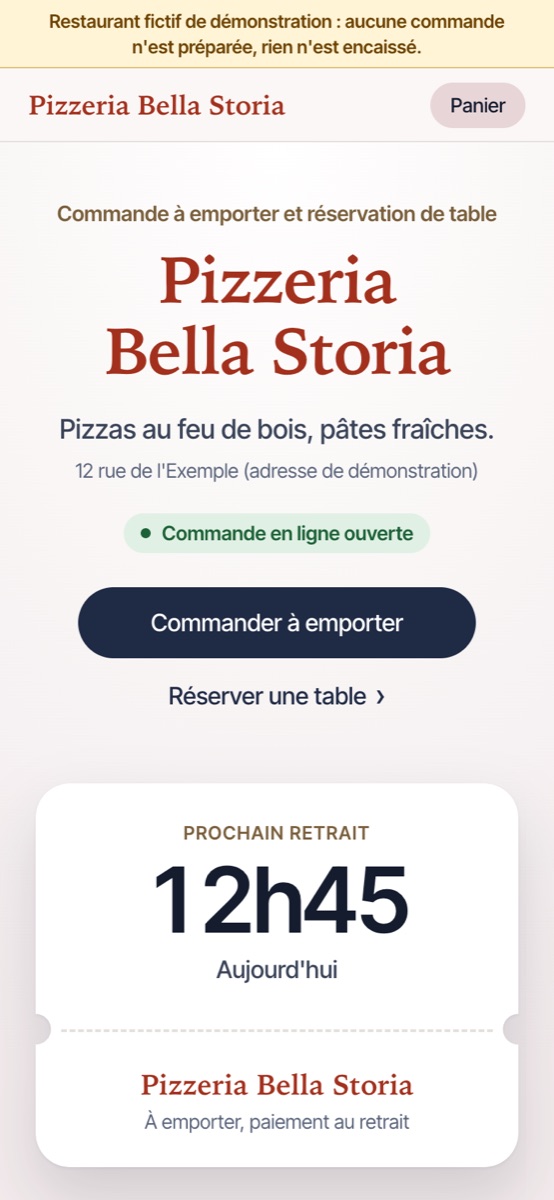
What it will never do, whatever the setting.
No invented item or price. Only what is on your menu.
No time beyond your oven. It offers no slot beyond the capacity you have set.
No doubt about who is answering. It introduces itself as an automated assistant.
No item without its details. It only confirms it with the details you have made mandatory.
07Before you start
What you are probably thinking
“My customers will hang up.”
Listen to the call above and judge the voice for yourself. If you wish, a customer who wants to speak to someone is transferred to your team, during the hours when it can be reached.
“It will get the order wrong.”
It only notes what is on your menu, asks for the mandatory details and reads the order back before recording it.
“My pizzeria does not work like the others.”
Exactly: hours, payment, delivery, languages, voice, tricky cases, everything is set to the way you work. What changes often, you change yourself in your client area; the rest, we set with you.
“What does it really cost me?”
The cost is the subscription plus the time spent on the phone. Order taking is included in the plans at €99 excl. VAT and €149 excl. VAT per month; a call minute starts at €0.20 excl. VAT, depending on the complexity of your agent. No commitment: if it does not add up, you stop.
08The price
Pricing: order taking from €99 excl. VAT per month
€99excl. VAT per month
+ call minutes, from €0.20 excl. VAT depending on the complexity of your agent
Three plans: €79 excl. VAT, €99 excl. VAT and €149 excl. VAT per month. Order taking is included from the Professional plan, at €99 excl. VAT. The Starter plan, at €79 excl. VAT, answers, informs your customers and takes messages, without taking orders.
Compare the three plansA week to see, with nothing to pay upfront
- One-week free trial, with no credit card.
- No commitment, cancel at any time.
- Tailor-made agent, ready in about a week.
- Your usual number, or a dedicated number.
GDPR compliant · Data encrypted in transit, and at rest with AES-256.
09Questions
Questions from pizza makers
Is an answering machine enough for a pizzeria?
An answering machine records a message that you have to listen to again, then call back. MAIA takes the order during the call: it checks your menu, asks for the details, offers a pickup time and records the order in your dashboard.
Can I keep my number?
Yes, with simple call forwarding from your phone provider. You can also take a dedicated number. No equipment to install.
How much does a phone assistant for a pizzeria cost?
Order taking is included from the plan at €99 excl. VAT per month (€149 excl. VAT for the Expert plan). The plan at €79 excl. VAT answers, gives information and takes messages, without taking orders. Call minutes are added, from €0.20 excl. VAT per minute depending on the complexity of your agent. No commitment. One-week free trial, with no credit card.
What happens when the oven is full?
You set the number of pizzas per slot. If the requested slot is full, it offers the next one. If everything is full, it tells the customer.
What does it do outside service hours?
You choose: it takes orders 24 hours a day, or only during the hours you set. The rest of the time, it still answers and gives your opening hours, your address and your menu.
Does it take delivery orders?
Yes, if you deliver: it takes the customer’s address and checks that it is within your delivery area. Otherwise, it takes takeaway orders, with pickup at the restaurant.
Can orders go straight into my till?
Yes, if your till is connected to HubRise: every order taken by phone goes straight into it, with the items from your menu. We set up this connection with you. Otherwise, the order arrives in your MAIA dashboard.
Can the customer pay by phone?
Yes, if you switch on the option: at the end of the call, the customer receives an SMS with a payment link, and the order only shows as “to do” in your dashboard once paid. Without this option, the customer pays as usual.
What if a customer wants to complain or change an order?
Depending on your settings: it changes or cancels the order itself, or it transfers the call to your team. A complaint can also be transferred to you, if you wish. Transfers take place during the hours when you can be reached; outside those hours, it tells the customer.
What if a customer leaves a message, or asks for something it cannot do?
Every call is transcribed in your client area: you read what the customer said. If you wish, you also receive an email that summarises the call and explains the request, so that you can call the customer back or act without listening again.
What if someone asks for a dish that is not on my menu?
It politely declines: it only offers what is on your menu. An item that is out of stock is flagged straight away, with an available alternative. You set the day’s out-of-stock items yourself.
Do my customers know they are talking to an automated assistant?
Yes, MAIA introduces itself as an automated assistant. If a customer wants to speak to someone and you have chosen to cover that case, it transfers the call to your team, during the hours when you can be reached. Otherwise, it tells the customer that it cannot transfer the call.
Does it speak languages other than French?
Yes, as an option: English or German, for example. You also choose its voice and its greeting.
How long does it take to set up?
A first version is ready in about a week, set to your menu and the way you work. After that, you change the menu, prices, hours and capacity from your client area; the rest, on request.
At the next rush, let it answer.
One-week free trial, with no credit card and no commitment. If it does not suit you, you stop.
A question about the offer? Call +33 9 39 24 02 39: MAIA, our sales assistant, answers you.
Other food-service businesses
MAIA adapts to every takeaway food-service format. Explore the dedicated pages:
MAIA for pizzerias in your city
See, city by city, what MAIA handles on the phone for pizzerias. These local pages are in French.